> For the complete documentation index, see [llms.txt](https://docs.spike.sh/llms.txt). Markdown versions of documentation pages are available by appending `.md` to page URLs; this page is available as [Markdown](https://docs.spike.sh/status-pages/group-components-into-nested-components.md).
# Group components into nested components
Group related components on your Spike status page under a parent component, so a single row tells you whether anything inside it is unhealthy.
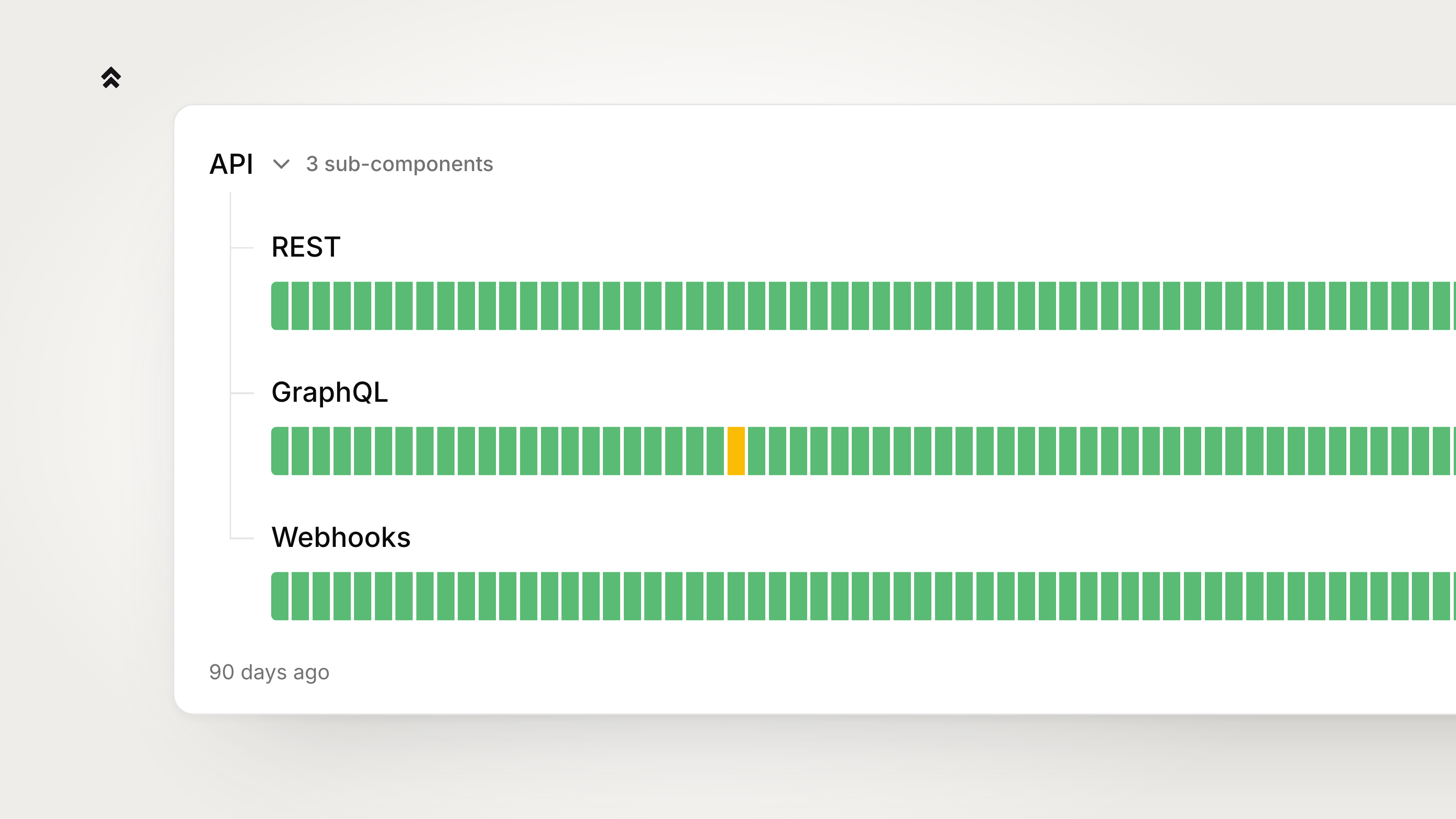
Grouping components gives you fewer rows to scan, and a group's status tells you at a glance whether anything inside it is unhealthy. Put "India" and "Japan" under "Asia", or "SMS", "Slack" and "Phone" under "Alerting". These are called **nested components**.
Nesting is exactly one level deep. A component that is nested cannot contain anything itself, so the dashboard only ever offers top-level components as parents.
## Nest a component
Open the component's edit dialog and pick a **Parent component** from the dropdown. The dropdown lists only top-level components.
To keep a component at the top level, leave the dropdown on **No parent (top level)**.
If the component you are editing already has components nested under it, the dropdown is replaced by a line telling you to move or remove those first.
## Reorder and move components on the list
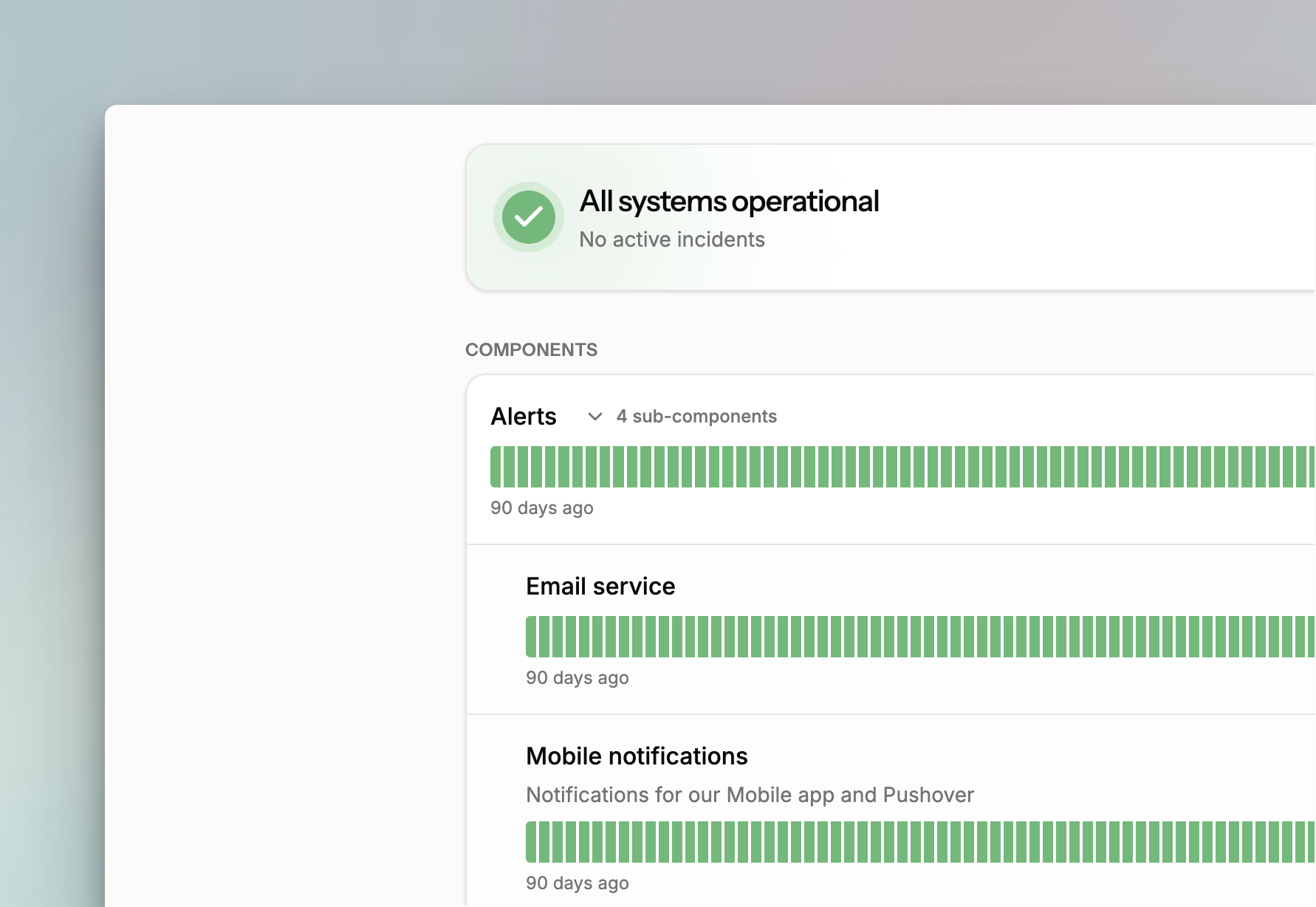
On the components list, nested components appear as indented rows under their parent. Expand and collapse a parent to show or hide them.
Each row's menu offers:
* **Make top-level**: moves a nested component out of its group.
* **Move under…**: moves a component into a group.
* **Move up** / **Move down**: changes the component's position.
You can also drag rows to reorder them. Reordering happens within a group: top-level components reorder among themselves, and nested components reorder inside their parent.
## How a parent's status is derived
A parent's status is derived, never set by hand. It shows the worst status among itself and everything nested under it, from least to most severe:
1. **Operational**
2. **Planned maintenance**
3. **Degraded performance**
4. **Partial outage**
5. **Critical outage**
So a parent whose child is in a partial outage shows a partial outage, even if the parent itself is fine.
The parent's 90-day uptime graph folds in its nested components' bars the same way — each day shows the worst state across the group.
## Select a group when you declare an incident
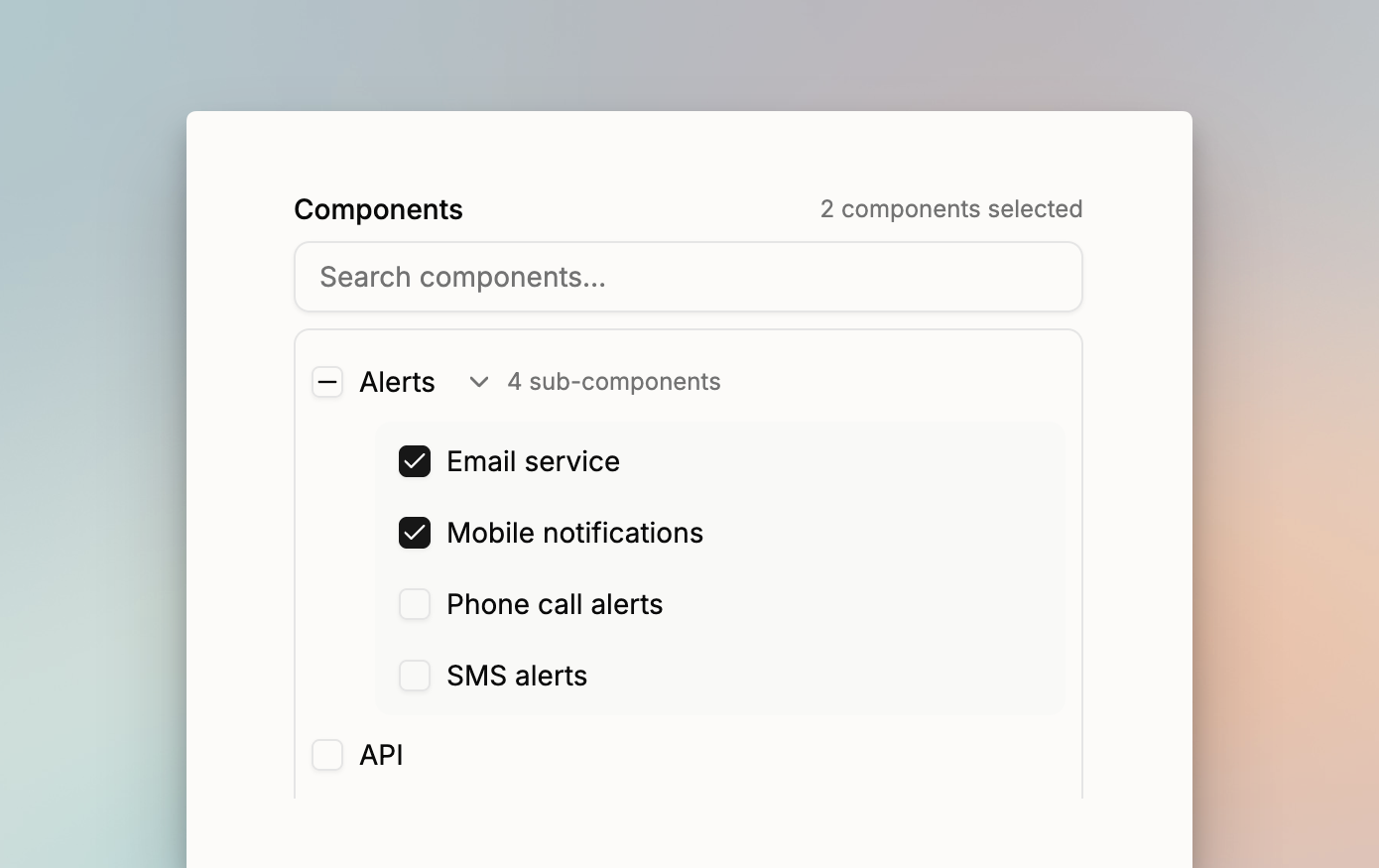
When you [declare an incident](/status-pages/create-public-incident-on-status-page.md), the affected-components picker is a tree with a search box. The search filters both levels, and a matching nested component keeps its parent visible.
Ticking a parent is a shortcut that selects everything nested under it, and unticking it clears them. When only some of a parent's children are selected, the parent shows a partial tick. You still set a status for each selected component.
## What visitors see
On the public status page, nested components are grouped under their parent behind a **Show nested components** / **Hide nested components** toggle that shows how many there are. Visitors can toggle any group themselves.
A group starts expanded when the parent's status is anything other than operational, so nothing is hidden on a bad day, and starts collapsed when everything in it is healthy.
Subscriber notification emails group the affected components under their parent and note how many nested components were affected.
## Archive a parent component
A component that still has components nested under it cannot be archived. Spike refuses and tells you to move or archive the nested components first.
## FAQs
### Can I nest a component more than one level deep?
No. Nesting is exactly one level. A component that is already nested cannot become a parent, which is why the **Parent component** dropdown only ever lists top-level components.
### Can I set a parent's status directly?
No. A parent's status is always derived from the worst status among itself and its nested components. To change what a parent shows, change the status of whatever inside it is unhealthy.
### Does a parent's uptime graph include its nested components?
Yes. Each day in the parent's 90-day graph shows the worst state across the group. If you move an existing component under a parent, the parent's graph recalculates across all 90 days, so the component's past outages show up in the group straight away.
### Does re-parenting a component affect an open incident?
No. The incident keeps the same affected components. Moving one into or out of a group changes how it is displayed, not what the incident refers to.
### Why does a parent show a partly filled tick when I declare an incident?
Some of its nested components are selected and some are not. Tick the parent itself to select all of them, and untick it to clear them.
### Do visitors' expand and collapse choices carry over between visits?
No. Those choices are not saved. Each visit starts from the default: expanded when the parent's status is anything other than operational, collapsed when everything in the group is healthy.
{% hint style="info" %}
Next, [style your status page](/status-pages/style-your-status-page.md) to choose which components show historical uptime, or [declare an incident](/status-pages/create-public-incident-on-status-page.md) against a group.
{% endhint %}