> For the complete documentation index, see [llms.txt](https://docs.spike.sh/llms.txt). Markdown versions of documentation pages are available by appending `.md` to page URLs; this page is available as [Markdown](https://docs.spike.sh/alerts/whatsapp.md).
# WhatsApp
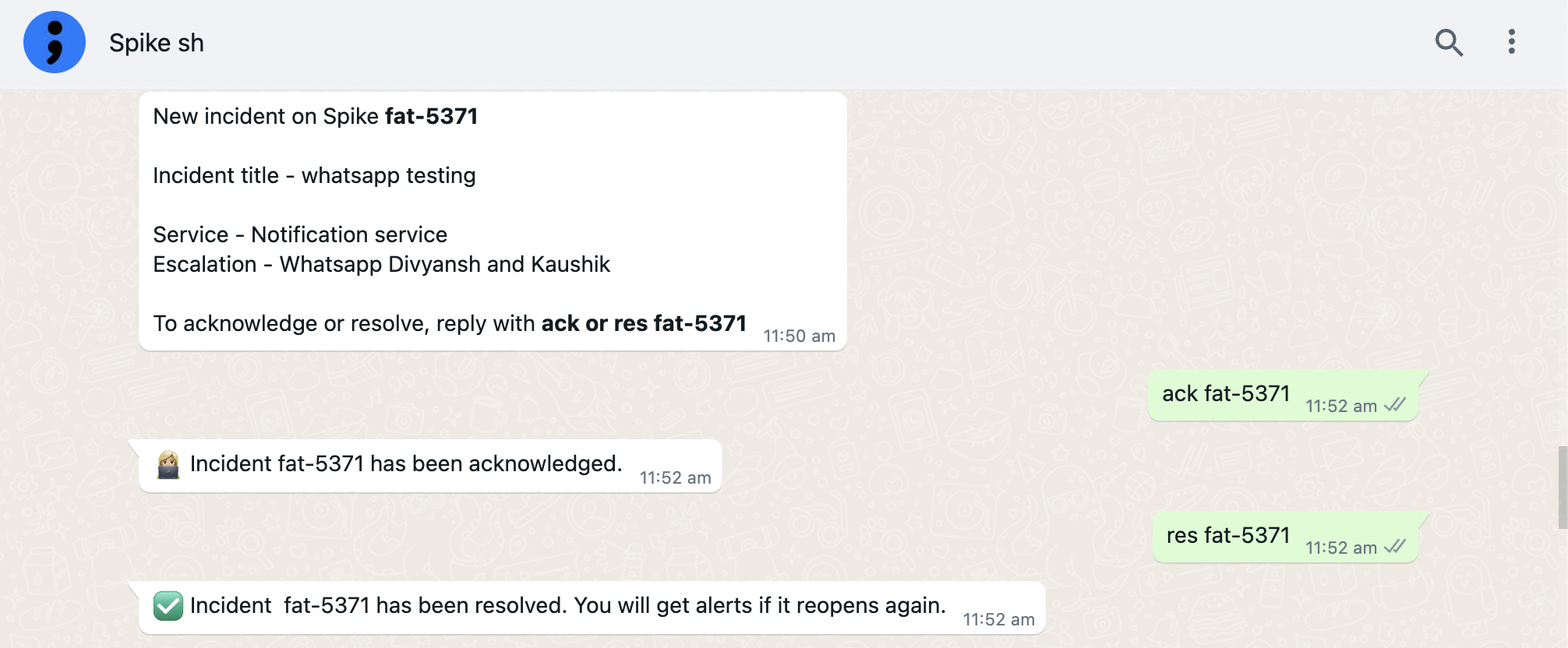
Get incident alerts and on-call shift notifications on WhatsApp. Acknowledge or resolve incidents without leaving WhatsApp.
You can receive alerts for:
* New incidents
* Acknowledge timeout
* On-call shift start
* On-call shift end
WhatsApp alerts from Spike.
## How to set up
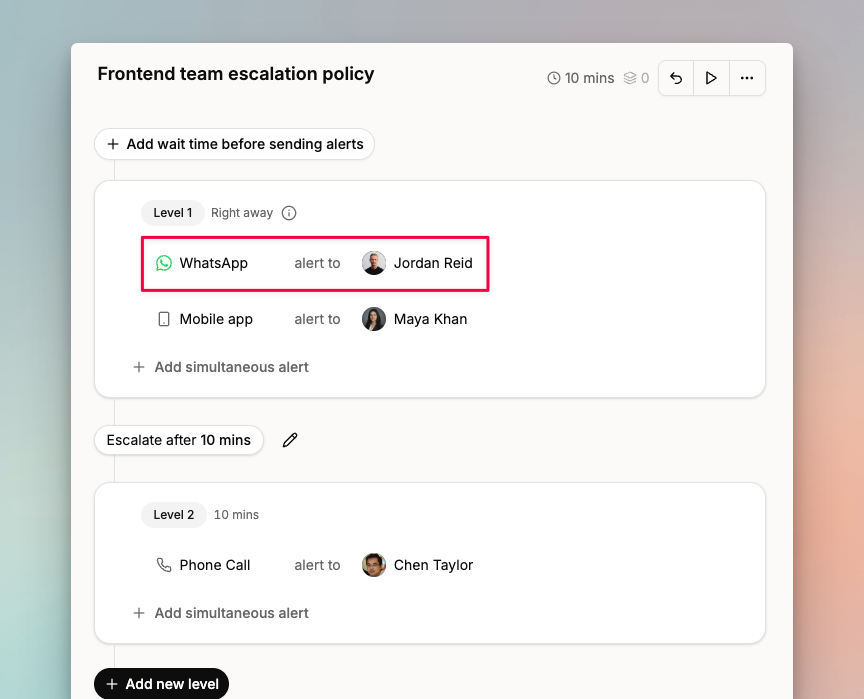
WhatsApp is enabled by default for all phone numbers. Add it to your escalation policies or configure on-call notifications in [On-call settings](https://app.spike.sh/settings/personal-on-call).
Adding WhatsApp to an escalation policy.
{% hint style="success" %}
To acknowledge or resolve an incident, reply to the Spike WhatsApp bot with `ack test-123` or `res test-123`, where `test-123` is the incident ID.
{% endhint %}
If you prefer a different messaging bot, Spike also has a Telegram integration:
{% content-ref url="/pages/Gb7bmAayc9oQ7nvFiRBf" %}
[Telegram](/alerts/telegram.md)
{% endcontent-ref %}