> For the complete documentation index, see [llms.txt](https://docs.spike.sh/llms.txt). Markdown versions of documentation pages are available by appending `.md` to page URLs; this page is available as [Markdown](https://docs.spike.sh/escalations/archive-escalation-policy.md).
# Archive escalation policy
Archive an escalation policy in Spike once it's no longer associated with any integration, from the policy settings.
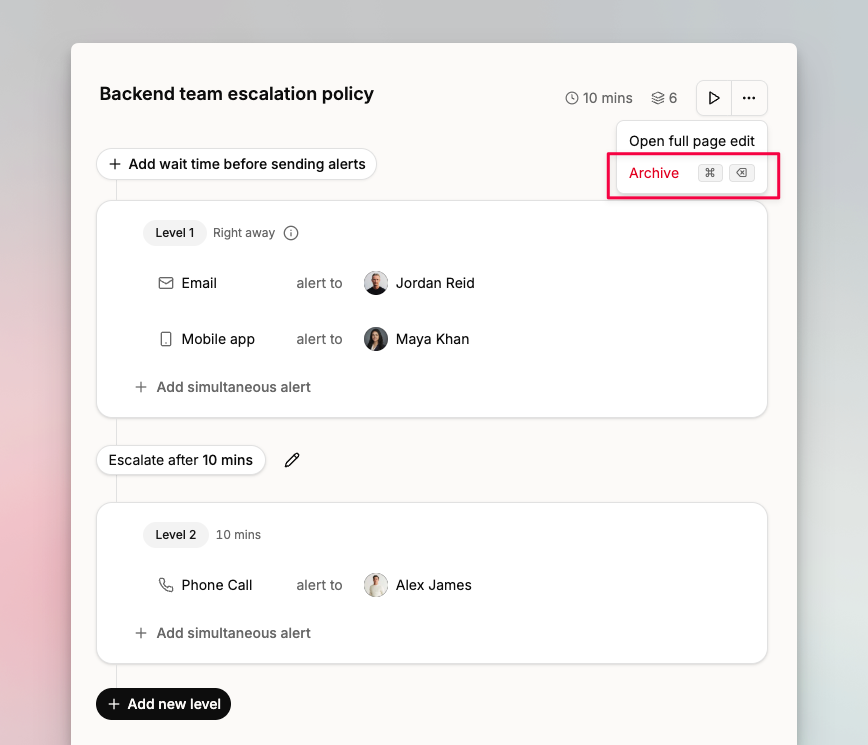
You can archive an escalation policy when it's no longer associated with any integration. Visit your [escalations page](https://app.spike.sh/escalations), select a policy, click the settings icon, and select **Archive**.
Select Archive under the policy settings.
## Restrictions
If the policy is in use on one or more integrations, archiving is not available. Update those integrations to use a different escalation policy first.
{% hint style="success" %}
Once the policy is no longer associated with any integration, you can archive it.
{% endhint %}
## FAQs
### Does archiving affect on-call schedules?
No. Archiving an escalation policy does not affect on-call schedules.
### Does archiving affect existing incidents?
No. Existing incidents retain a reference to the archived policy. Spike displays a notice on those incidents to flag that the policy has been archived.
### How do I restore an archived policy?
There's no self-serve restore option. Contact support via chat from the dashboard or email .