> For the complete documentation index, see [llms.txt](https://docs.spike.sh/llms.txt). Markdown versions of documentation pages are available by appending `.md` to page URLs; this page is available as [Markdown](https://docs.spike.sh/escalations/introduction-to-escalations.md).
# Escalation policies
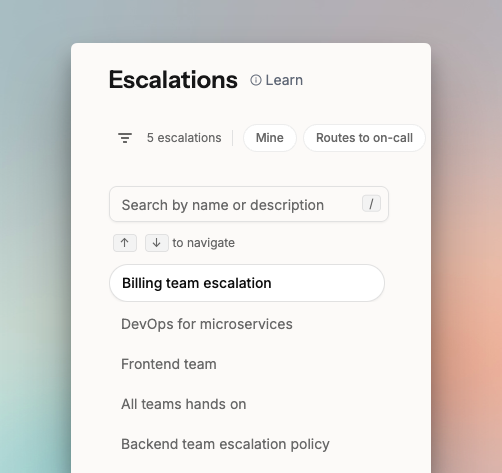
Escalation policies define who gets alerted, through which channel, and in what order, until an incident is acknowledged.
An escalation policy defines who gets alerted, through which channel, and in what order. When an incident triggers, Spike follows the policy until someone acknowledges or resolves it.
Escalation policies in Spike.
## How escalation policies work
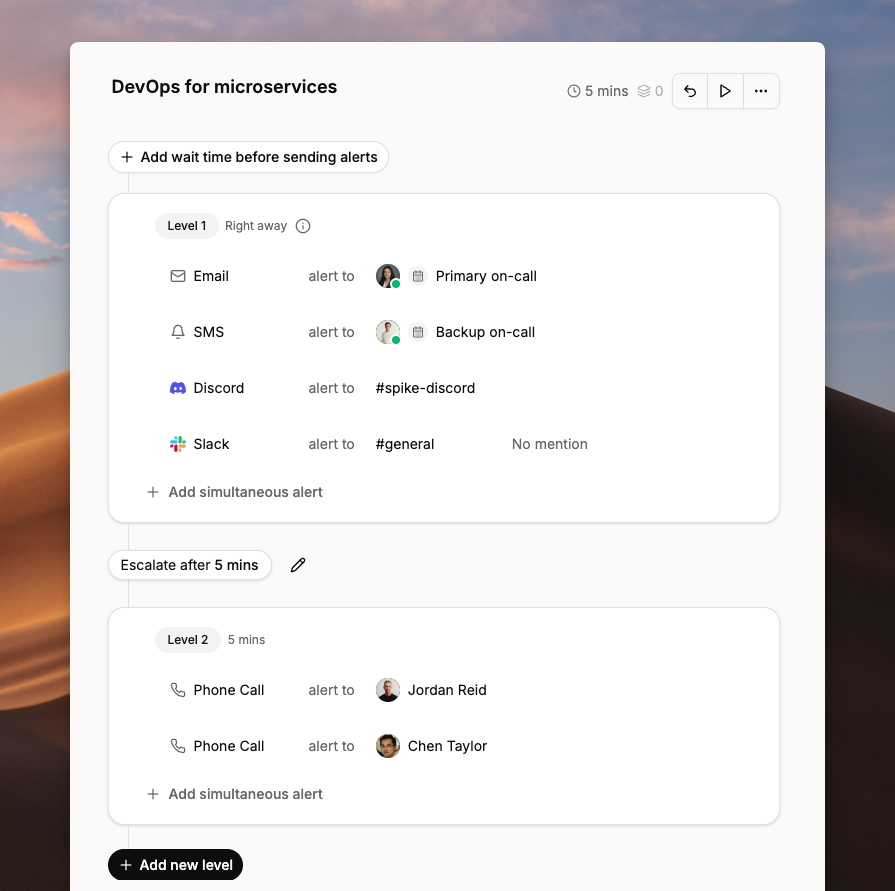
Each policy has one or more levels. After Spike sends alerts at the first level, it waits for a configured timeout before moving to the next. If no one acknowledges within that window, the incident escalates to the next level automatically.
You can alert multiple people at the same level, across different channels or the same one. You can configure the timeout between levels and create as many levels as you need.
An escalation policy with two levels and a 5-minute timeout.
{% hint style="info" %}
Escalations don't repeat automatically. Configure repeat escalations in your integration settings. [Learn more](/escalations/repeat-escalations.md)
{% endhint %}
{% hint style="info" %}
You can create unlimited escalation policies with multiple levels.
{% endhint %}